๐ What is zeni?
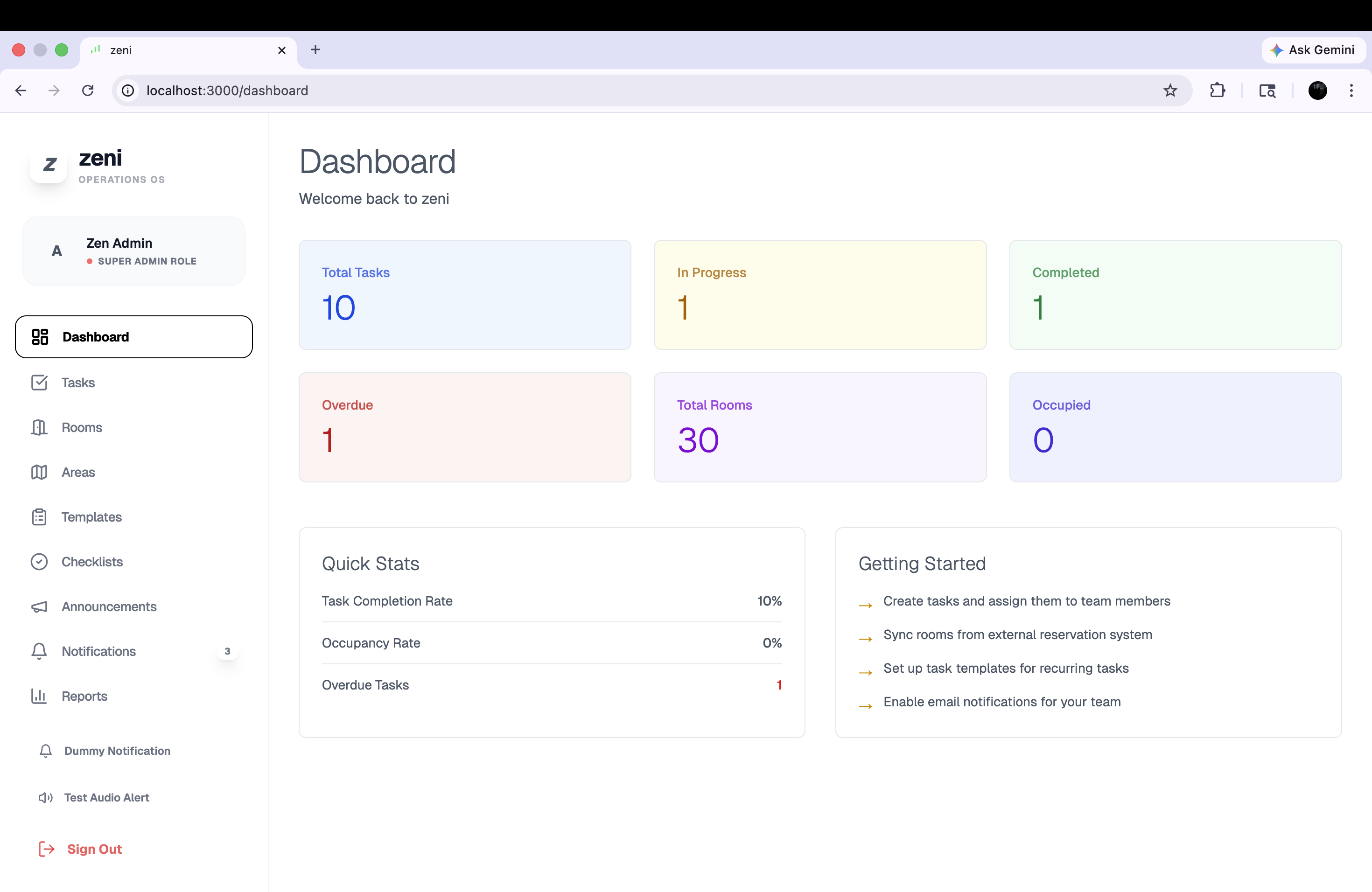
zeni is a comprehensive operations management system designed for any organization, property, or company. It replaces scattered spreadsheets, paper checklists, and confusing communication channels with one unified platform that keeps your entire team connected and informed.
Key Benefits
- โSave Time: Automate routine tasks and eliminate manual coordination
- โImprove Communication: Everyone knows what needs to be done, when, and by whom
- โTrack Everything: Never lose track of tasks, resources, or team progress
- โMake Better Decisions: Real-time insights help you manage operations effectively
- โDeliver Excellence: Ensure consistent service quality across all departments
๐ฅ 1. User Management & Security
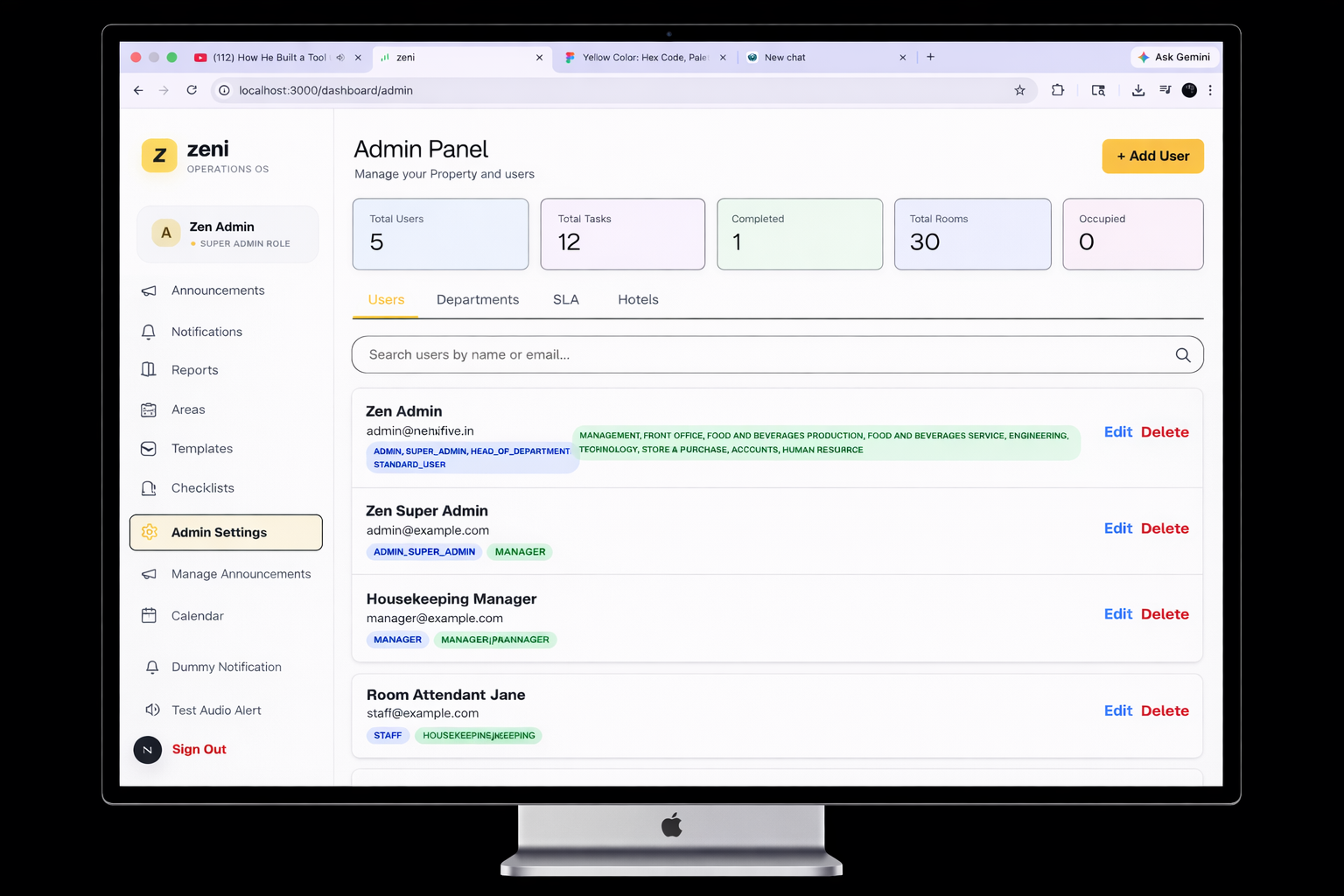
Control who has access to what, with flexible roles and permissions that match your organization's structure.
Simple Login System
- Easy Access: Staff log in with email and password - no complicated setup
- Secure: Your data is protected with industry-standard security
- Password Recovery: Staff can reset their own passwords if forgotten
- Always Connected: Automatic session management keeps users logged in securely
Three Powerful Roles
Administrator
Full control over the entire system. Create users, manage departments, view all tasks and reports.
Head of Department
Oversee your department's operations. Monitor team progress, manage checklists, and ensure quality standards.
Team Member
Complete assigned tasks, work through daily checklists, and track your personal SLA timers in real-time.
Flexible Department Assignment
Assign staff to one or multiple departments:
Why this matters: Staff can see tasks relevant to their departments, ensuring they focus on what's important to them.
โ 2. Task Management
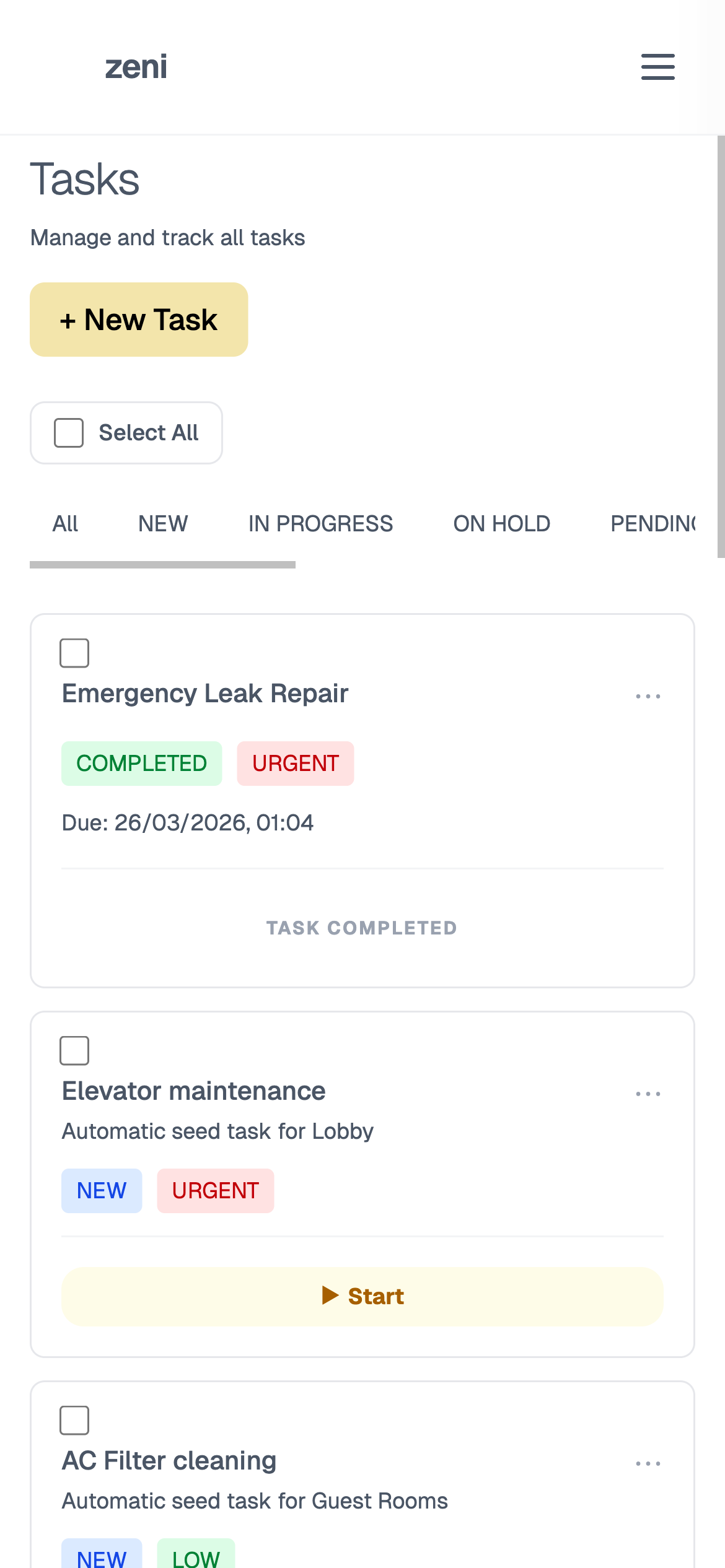
Create, assign, and track tasks effortlessly. Know exactly what needs to be done, who's doing it, and when it's complete.
Creating Tasks is Simple
- Clear Information: Add a title, description, and set priority (Low, Medium, High, Urgent)
- Smart Assignment: Assign to a specific person or an entire department
- Location Tracking: Link tasks to specific rooms or property areas
- Task Types: Categorize as Complaint, Request, Maintenance, Cleaning, Repair, or General
- Due Dates: Set deadlines with exact time selection for precise scheduling
- SLA Integration: Automatically apply time limits based on task priority and type
- Templates: Use pre-made templates for common tasks to save time
โก Quick Status Transitions
Redesigned UX with Quick Action buttons directly on task cards. Move from "New" to "In Progress" or "Complete" with a single tap.
๐ข 3. Space & Resource Management
Keep track of every space and resource with automatic data synchronization. Know exactly which rooms are occupied, who the guests are, and what maintenance is needed.
Smart Resource Tracking
Automatic Guest Sync
Real-time integration with your property management system to sync room occupancy and guest details automatically.
Room Status Control
Track Clean, Dirty, Repair, and Inspect statuses with instant updates across the team.
๐ 4. Daily Checklists
Create custom checklists for daily operations. Ensure nothing is forgotten and every task is completed to your standards.
How Checklists Work
Create Once, Use Every Day
Set up daily checklists for each department (e.g., "Morning Operations", "Daily Maintenance Check"). They automatically generate each day.
Managers Monitor Progress
Department heads see real-time progress on checklist completion. If something's incomplete, they can follow up immediately.
โฑ๏ธ 5. SLA & Performance Management
Deliver exceptional service with automated Service Level Agreements. Track every minute and ensure your team stays on target.
Policy Builder
Define time limits based on task priority and type (e.g., Urgent Complaints must be handled in 15 mins).
Live Countdown
Assigned members see real-time HH:MM:SS timers on their tasks to prioritize urgent work.
Health Tracking
Monitor Breached, Approaching, and Achieved SLAs across departments at a glance.
๐ง 6. AI-Powered Insights
Transform operational data into strategic intelligence. Our integrated AI analyzes your property's performance to provide deep, actionable snapshots.
Consolidated Property Snapshot
Multi-Section Reports
Comprehensive views covering Task Efficiency, Team Workload, and Resource Utilization.
Pattern Recognition
AI identifies recurring bottlenecks and suggests optimizations automatically.
Trend Forecasting
Understand your busiest times and staff accordingly based on historical trends.
Actionable Snapshots
Consolidated summaries for management to make data-driven decisions in seconds.
๐ 7. Smart Notifications
Never miss an important update. Customizable alerts keep everyone informed about tasks, deadlines, and changes.
Task Assignments
Get notified when a new task is assigned to you
SLA Alerts
Receive reminders when SLAs are approaching or breached
Urgent Issues
Immediate alerts for high-priority tasks or emergencies
Task Completions
See when team members complete assigned tasks
โ๏ธ 8. Admin Control
Full administrative control to customize zeni exactly for your organization. Set permissions, configure your structure, and maintain your database.
Admin Capabilities
User Management
Create staff accounts, assign roles, manage permissions, deactivate users, and reset passwords
Department Configuration
Create departments, assign department heads, and organize your team structure exactly as you need it
Organization Setup
Define resources, create areas, set organization-wide settings, and customize your workflow
Template Management
Create task templates and checklists that your team can use repeatedly to save time
Data Integrity
Regular backups, data exports, and audit logs ensure your information is always safe and recoverable
โก 9. Real-time Sync
Changes instantly across all devices. Your team stays in sync, whether they're on a phone, tablet, or desktop.
How Real-time Sync Benefits You
No Delays
When someone completes a task, everyone else sees it instantly. No waiting for page refreshes or manual updates.
Reduced Conflicts
Prevent duplicate work. Real-time updates ensure only one person picks up a task at a time.
Mobile Ready
Works on phones and tablets. Your team can complete tasks and check checklists from anywhere.
Offline Support
Even if the internet drops, your team can continue working. Changes sync automatically when you're back online.
๐ 10. Integrations
Connect zeni with the tools you already use. Streamline workflows and eliminate manual data entry.
Coming Soon
System Integration
Sync with your existing management systems for automatic data synchronization
Email & Messaging
Receive notifications via email or integrate with your preferred messaging platform
Analytics Platforms
Export data to your analytics tool for deeper business intelligence
โญ Why Choose zeni?
Built for Any Organization
We understand operations management. Every feature is designed with your specific challenges in mind.
Easy to Learn
Your team will be productive on day one. Simple interface, no confusing menus or steep learning curve.
Scalable
Whether you're a small team or a large enterprise, zeni grows with you.
Secure & Reliable
Enterprise-grade security, automatic backups, and 99.9% uptime guarantee.
Affordable
Simple, transparent pricing. No hidden fees. More affordable than spreadsheets and paper.
World-class Support
Our dedicated support team is always ready to help. We're invested in your success.
Ready to Transform Your Operations?
Join forward-thinking organizations using zeni to streamline operations, improve team coordination, and deliver exceptional results.